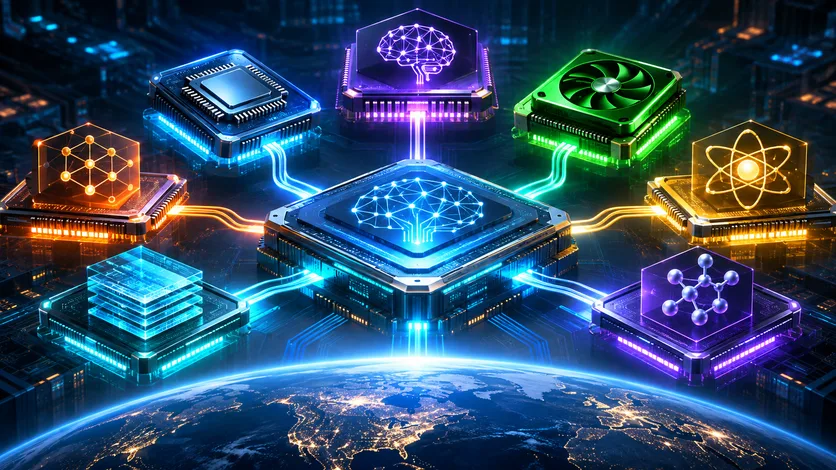
Think of it as Yoga for the brain, we are going to stretch a bit.
EVERYTHING YOU WANTED TO KNOW ABOUT CPU, GPU, TPU, NPU, LPU, QPU — AND MORE!
The future of computing isn't about building one processor that can do everything. It's about building a system where every processor does what it does best. The CPU thinks, the GPU calculates, the NPU learns, and the QPU explores entirely new possibilities. The real revolution isn't just faster computers — it's smarter ways of computing. -- YNOT!
The Computers of Yesterday, the Artificial Intelligence of Today, and the Processors That Will Shape Tomorrow.
Most people have heard of a CPU. Many know what a GPU is, especially if they play computer games. But what about a TPU, NPU, LPU, or QPU?
And why are companies like NVIDIA, AMD, Intel, Apple, Google, and IBM spending billions of dollars developing different types of processors?
The answer is that computing has changed dramatically.
For decades, we concentrated on making the CPU faster. We increased clock speeds, added more cores, improved memory, and developed increasingly sophisticated computer architectures.
But then something happened. We discovered that making one processor faster was not necessarily the most efficient way to solve every problem.
Some computing tasks require making millions of calculations simultaneously. Others require extremely fast access to memory. Some require almost no electricity. Still others involve mathematics that conventional computers struggle to perform.
Artificial intelligence has accelerated this transformation.
Today, the fastest computer is not necessarily the one with the fastest CPU. The best AI system is not necessarily the one with the most GPUs. And the processor that works best in your laptop may be completely unsuitable for a data center.
To understand where computing is going, we first need to understand the different types of processors and why they exist.
And perhaps most importantly, we need to understand that they are not all competing to do the same job.
THE CPU: THE ORIGINAL COMPUTER BRAIN
CPU stands for Central Processing Unit.
It is the general-purpose processor responsible for executing programs, running operating systems, coordinating hardware, and making the millions of decisions required to operate a computer.
When you open a web browser, launch a program, edit a document, or start your computer, the CPU performs much of the work.
Think of the CPU as the manager of a large business. The manager makes decisions, assigns work, coordinates operations, and handles complicated problems.
Modern CPUs contain multiple processing cores, allowing them to perform many tasks simultaneously. Some processors also contain specialized instructions for encryption, graphics-related mathematics, or artificial intelligence.
But the CPU remains fundamentally a general-purpose processor. And that flexibility is both its greatest advantage and its limitation.
A CPU can perform almost any computing task, but it may not be the fastest or most energy-efficient way to perform millions of identical calculations.
That is where specialized processors enter the picture.
THE FOUR MAJOR CPU ARCHITECTURE FAMILIES
Before discussing the manufacturers, we need to distinguish between a processor’s architecture and its brand.
An architecture is essentially the language a processor understands.
Intel and AMD manufacture different processors, but both primarily use the x86-64 instruction set.
Apple and Qualcomm manufacture different processors, but both produce processors using the ARM architecture.
This distinction matters because software must be compatible with the architecture on which it runs.
x86 — INTEL AND AMD
The x86 architecture began with Intel’s 8086 processor in 1978.
It eventually became the foundation of the personal computer industry.
When IBM introduced its original PC in 1981, it used an Intel 8088, helping establish the architecture that would dominate desktop computing for decades.
Today, the two principal manufacturers of x86 processors are Intel and AMD.
Intel’s major families include Core and Core Ultra processors for consumer computers and Xeon processors for workstations and servers.
AMD’s major families include Ryzen for consumer desktops and laptops, Threadripper for high-performance workstations, and EPYC for servers and data centers.
One of x86’s greatest strengths is software compatibility.
Businesses have invested enormous amounts of money developing software for this architecture. Modern x86 processors preserve extensive backward compatibility, although running very old programs may still require suitable operating systems or emulation.
Another major milestone occurred in 2003. AMD introduced AMD64, extending x86 into the 64-bit computing era while preserving compatibility with much existing software.
Intel subsequently adopted the compatible approach.
That is why modern Intel and AMD processors can generally run the same operating systems and applications.
Today, x86 remains especially important in desktop computers, gaming systems, enterprise servers, virtualization environments, and traditional business applications.
Its greatest strength is not simply processing speed. It is the enormous software ecosystem built around it.
ARM — THE ENERGY-EFFICIENT REVOLUTION
ARM began in Britain during the 1980s.
Unlike Intel and AMD, ARM became successful primarily by licensing processor designs and architecture technology to other companies.
Apple, Qualcomm, Samsung, MediaTek, Amazon, and numerous others developed processors based on ARM technology.
ARM became dominant in smartphones because it offered an excellent foundation for energy-efficient computing.
Consider the challenge of a smartphone.
It must run an operating system, process photographs, maintain wireless connections, handle applications, and perform increasingly sophisticated AI operations.
And it must accomplish all this using a small battery.
ARM-based processors helped make that possible. But ARM is no longer limited to phones.
Apple’s M-series processors demonstrated that ARM-based systems could deliver excellent desktop and laptop performance.
Amazon’s Graviton processors brought ARM into large-scale cloud computing.
Google’s Axion processors extended its presence in data centers.
ARM-based designs are also used in the Raspberry Pi, embedded systems, vehicles, and industrial equipment.
An important distinction: ARM is not automatically faster or more efficient than x86 in every situation.
Actual performance depends on the processor’s implementation, manufacturing technology, memory, software, and power budget.
Nevertheless, ARM has fundamentally changed the balance between computing performance and energy consumption.
RISC-V — THE OPEN ARCHITECTURE CHALLENGER
RISC-V may eventually prove to be one of the most important developments in processor design.
It originated at the University of California, Berkeley, around 2010.
Unlike x86, which is controlled through a relatively restricted licensing ecosystem, or ARM, which licenses its technology commercially, RISC-V is an open instruction-set standard.
Companies can design processors implementing RISC-V without paying royalties simply for using the instruction set.
Think of the difference between proprietary software and Linux. Linux provides an open foundation on which organizations can build their own systems.
RISC-V offers a similar opportunity for processor architecture.
Manufacturers can develop specialized processors without depending entirely on a single architecture vendor.
NVIDIA already uses RISC-V-based controllers inside some of its products.
RISC-V also appears in storage devices, microcontrollers, industrial equipment, and embedded electronics.
Some ESP32 microcontrollers use RISC-V processors.
Its weakness today is the relative maturity of its software ecosystem.
Although RISC-V is expanding rapidly, x86 and ARM still dominate mainstream personal computing.
But the significance of RISC-V goes beyond performance.
It introduces competition into the fundamental architecture of computing itself.
IBM POWER AND IBM Z — THE ENTERPRISE SURVIVORS
Not every important computer uses x86 or ARM.
IBM continues to develop its POWER architecture for high-performance enterprise systems.
POWER processors are designed for demanding workloads involving large databases, virtualization, analytics, and scientific computing.
IBM also maintains its IBM Z mainframe architecture, descended from the System/360 family introduced in 1964.
These machines emphasize reliability, security, large transaction volumes, and compatibility with decades of business software.
Banks, insurers, governments, and major corporations still rely on mainframes. Their continued existence teaches an important lesson. The newest technology is not always the most appropriate technology. Sometimes reliability, compatibility, and predictable operation are worth more than raw processing speed.
THE GPU: THE PROCESSOR THAT TRANSFORMED ARTIFICIAL INTELLIGENCE
GPU stands for Graphics Processing Unit.
Originally, GPUs were developed to accelerate computer graphics.
Modern computer graphics involve enormous numbers of calculations.
Consider a 4K display. It contains approximately 8.3 million pixels.
At 60 frames per second, the system must generate images representing nearly 500 million pixel positions every second.
Each frame can involve lighting, shading, geometry, textures, and other calculations.
A GPU is designed to execute large amounts of parallel work efficiently. Imagine the CPU as a small team of highly trained specialists. The GPU is a large factory containing thousands of workers performing similar operations simultaneously.
This is a simplified analogy, but it explains the fundamental difference. Then researchers discovered something extraordinary. Many artificial intelligence calculations are also highly parallel. Neural networks depend heavily on matrix multiplication and related mathematical operations.
The same parallel computing capabilities that made GPUs excellent for graphics also made them extremely valuable for AI.
This changed the computer industry.
GPU manufacturers were no longer selling processors primarily to gamers, engineers, and graphics professionals. They were supplying the computational foundation for a new generation of artificial intelligence.
THE FIVE MAJOR GPU FAMILIES
NVIDIA — THE AI POWERHOUSE
NVIDIA was founded in 1993 and became famous for its GeForce graphics processors.
Its major product families include:
GeForce RTX — Consumer gaming, graphics, content creation, and local AI.
RTX PRO — Professional graphics, engineering, visualization, and workstation AI.
Data-center GPUs — Families built around architectures such as Hopper, Blackwell, and Rubin, designed for large-scale AI and scientific computing.
One reason NVIDIA became so successful was CUDA.
CUDA is NVIDIA’s software platform for general-purpose GPU computing.
It allowed developers to use GPUs for scientific simulations, research, artificial intelligence, and many other applications unrelated to graphics.
This created an enormous software ecosystem.
NVIDIA also developed specialized Tensor Cores to accelerate the mathematical operations used in AI.
Today, NVIDIA is not simply a graphics-card manufacturer.
It supplies processors, networking equipment, software, and complete computing systems.
Its Blackwell and Rubin platforms illustrate how AI computing is moving from individual graphics cards toward tightly integrated systems containing CPUs, GPUs, memory, and specialized accelerators.
But NVIDIA has disadvantages.
Its hardware can be expensive, its most powerful systems require substantial electrical power and cooling, and its proprietary software ecosystem creates dependencies.
For local AI users, an important consideration is GPU memory.
A powerful GPU with insufficient memory may be less useful than a slower GPU capable of holding the entire AI model.
AMD — NVIDIA’S MAJOR COMPETITOR
AMD manufactures both CPUs and GPUs.
Its principal graphics families include:
Radeon — Consumer gaming and graphics.
Radeon PRO — Professional graphics and workstation applications.
Instinct — Data-center AI, high-performance computing, and scientific applications.
AMD’s Instinct MI300, MI350, and MI400 series represent its effort to compete in the large-scale AI accelerator market.
One important feature of many Instinct accelerators is their large high-bandwidth memory capacity. That matters because large AI models need enormous amounts of memory.
AMD also develops ROCm, its software platform for GPU computing and artificial intelligence.
ROCm provides an alternative to NVIDIA’s CUDA environment.
AMD’s significance goes beyond making competitive chips.
Competition between NVIDIA and AMD can influence prices, software openness, hardware availability, and the economics of artificial intelligence.
For organizations developing local AI infrastructure, alternatives to a single hardware supplier are strategically important.
INTEL — THE THIRD MAJOR PC GPU COMPETITOR
Intel dominated the CPU business for decades but entered the modern discrete gaming GPU market relatively late.
Its Arc graphics family competes with products from NVIDIA and AMD.
Intel also develops professional Arc Pro graphics hardware and integrated graphics processors within its CPUs.
Intel GPUs use Xe graphics architectures, with certain models providing dedicated matrix acceleration for AI workloads.
Intel’s development environment includes oneAPI and associated tools. Intel faces a difficult challenge. NVIDIA has a substantial software advantage in AI, while AMD has decades of experience developing competitive graphics processors.
Nevertheless, Intel’s presence creates another source of competition.
Its GPUs can be relevant for affordable graphics systems, video processing, professional workloads, and some local AI applications.
APPLE — THE INTEGRATED GPU APPROACH
Apple takes a different approach.
Rather than concentrating on replaceable graphics cards, Apple integrates CPUs, GPUs, neural accelerators, media processors, and memory controllers into its system-on-chip designs.
Its M-series processors combine these components into tightly integrated systems.
Apple uses a unified memory architecture that allows the CPU and GPU to access the same main memory pool.
This can be particularly useful for local AI models requiring more memory than a typical consumer graphics card provides.
However, unified memory does not automatically make every Apple system faster than a dedicated GPU. Performance depends on memory bandwidth, GPU capability, software optimization, and the workload.
Apple’s approach emphasizes integration, performance per watt, and a controlled hardware/software environment.
MOBILE GPUs — QUALCOMM, ARM, AND OTHERS
Your smartphone also contains a GPU.
Qualcomm develops Adreno graphics processors. ARM develops Mali GPU technology licensed to various manufacturers.
Other mobile chip designers develop their own integrated graphics architectures.
These GPUs power games, video interfaces, augmented reality, photography, and parts of mobile AI processing.
Their biggest engineering challenge is delivering useful performance within extremely limited power and thermal budgets.
They demonstrate that computing efficiency can be just as important as computing power.
NPU: ARTIFICIAL INTELLIGENCE IN YOUR POCKET
NPU stands for Neural Processing Unit.
An NPU is specialized hardware designed to accelerate neural-network computations.
You may already own several devices containing NPUs. They are increasingly common in smartphones, laptops, tablets, and embedded systems.
Apple calls its dedicated neural-processing technology the Neural Engine.
Other manufacturers use different names for their AI accelerator designs.
NPUs can accelerate tasks such as speech recognition, image enhancement, background separation, object detection, and certain local AI models.
Why use an NPU instead of the CPU or GPU? Efficiency.
For suitable workloads, an NPU can perform AI operations while consuming relatively little power.
This becomes particularly important in battery-powered devices. NPU performance is often advertised in TOPS. TOPS means trillions of operations per second.
But there is a catch. A processor advertised at 50 TOPS is not necessarily better than another advertised at 40 TOPS.
Precision, memory capacity, software support, and the actual workload all matter.
Modern NPUs can run some AI models locally, although the largest models generally require more computational and memory resources.
The long-term significance of NPUs is straightforward.
More AI processing can happen directly on your device instead of requiring communication with a distant data center.
That potentially improves privacy, responsiveness, battery life, and offline capability.
TPU: GOOGLE’S SPECIALIZED AI PROCESSOR
TPU stands for Tensor Processing Unit.
TPU is Google’s name for its custom AI accelerator family.
Unlike a general-purpose CPU, a TPU is specifically designed to accelerate the mathematical operations used in machine learning.
Google began developing TPUs because its enormous AI workloads created extraordinary computational demands.
Rather than relying entirely on commercially available GPUs, Google designed its own silicon.
TPUs have supported major machine-learning systems, including Google’s Gemini models.
In 2026, Google expanded its eighth-generation TPU family. Its TPU 8t focuses on large-scale AI training. The TPU 8i emphasizes inference and reasoning workloads.
In November 2026, Google announced additional systems, TPU 8tx and TPU 8i Max, focusing on confidential inference and large-context AI processing.
Why is this important?
Because creating an AI model and using that model are different workloads.
Training involves processing enormous datasets and adjusting the model’s parameters.
Inference involves using the trained model to generate answers, analyze information, recognize images, or make predictions.
Hardware optimized for one task is not necessarily optimal for the other.
Google’s TPU strategy illustrates how the AI industry is developing specialized hardware for different stages of computation.
It also represents an alternative to buying large numbers of conventional GPUs.
LPU: THE PROCESSOR BUILT FOR FAST AI RESPONSES
LPU stands for Language Processing Unit.
The term is especially associated with Groq, a company specializing in AI inference acceleration.
Do not confuse Groq with Grok, the AI chatbot developed by xAI.
Groq’s approach focuses on predictable execution and extremely fast movement of data.
One of the biggest bottlenecks in AI inference is memory.
An AI model may contain billions of parameters that must be accessed repeatedly while generating an answer. If a processor spends excessive time waiting for memory, its mathematical capabilities cannot be fully utilized.
Groq’s architecture emphasizes high-speed on-chip SRAM and carefully scheduled computation.
SRAM is very fast memory located directly on the processor.
The benefit is reduced memory-access latency. The disadvantage is capacity.
SRAM is substantially more expensive and less dense than conventional external memory technologies.
Consequently, larger models may require many interconnected processors.
In December 2025, NVIDIA entered a major agreement to license Groq’s technology and hired key personnel.
This was not simply an outright purchase of the entire Groq company.
By 2026, NVIDIA was integrating Groq-derived LPU technology into its broader AI infrastructure through the Groq 3 LPX platform.
The significance is enormous. AI performance is no longer measured only by how quickly a system can train a model. It is also measured by how quickly that model can respond.
As AI agents begin performing increasingly complicated tasks, low-latency inference becomes more important.
An LPU is one approach to solving that problem.
QPU: QUANTUM COMPUTING
QPU stands for Quantum Processing Unit.
This is where computing becomes fundamentally different. Conventional processors operate using bits. A bit represents either zero or one.
Quantum processors operate using quantum bits, usually called qubits.
Qubits exploit quantum effects, including superposition and entanglement.
These properties allow quantum algorithms to manipulate information differently from conventional computing systems.
But there is an important misconception. A quantum computer is not simply an ordinary computer that performs every calculation millions of times faster.
Quantum computing is useful for particular classes of problems.
Potential applications include molecular simulation, certain optimization problems, quantum physics research, and specific mathematical algorithms.
Google, IBM, and other organizations are developing increasingly sophisticated quantum processors.
Google’s Willow processor, introduced in 2024, demonstrated important advances in quantum computing and error correction.
But headline claims comparing quantum processors with supercomputers often involve specialized benchmark problems.
Those results should not be interpreted as proof that quantum computers can already replace conventional supercomputers.
Quantum hardware remains extremely challenging. Qubits are vulnerable to errors.
Many quantum systems require elaborate cooling equipment, isolation, and specialized control electronics.
Reliable, large-scale quantum computing remains a major engineering objective.
The most likely future is not quantum processors replacing CPUs and GPUs.
It is quantum computers functioning as specialized tools alongside conventional computing systems.
WSE: THE GIANT PROCESSOR
WSE stands for Wafer-Scale Engine.
This architecture is associated with Cerebras Systems. Normally, semiconductor manufacturers produce many individual chips on a silicon wafer and separate them during manufacturing.
Cerebras takes a dramatically different approach. It builds an enormous processor using nearly the entire available wafer area. Its WSE-3 architecture contains approximately four trillion transistors and 900,000 AI-optimized computing cores.
The idea is to place massive amounts of computation, memory, and communication capability within one integrated processor.
This can reduce some of the communication overhead associated with connecting many separate GPUs.
Cerebras systems are designed primarily for AI training and inference in specialized computing environments.
They require sophisticated cooling, power delivery, and system integration.
They are not intended to replace graphics cards in ordinary desktop computers.
Their importance lies in challenging conventional assumptions about how large an individual processor should be.
APU AND SOC: PUTTING EVERYTHING TOGETHER
APU stands for Accelerated Processing Unit.
The term is strongly associated with AMD.
An APU integrates CPU and GPU capabilities into a single processor design.
This is particularly useful for laptops, compact computers, and gaming consoles.
AMD technology powers the custom processors used in systems such as the PlayStation 5, Xbox Series X, and Steam Deck.
But there is another term worth understanding. SoC stands for System on a Chip.
An SoC integrates multiple computing functions into one system.
Depending on its design, it may include a CPU, GPU, NPU, media engines, security hardware, memory controllers, and communications processors.
Modern smartphones and Apple’s M-series processors are examples.
The distinction is that APU is a particular product designation, while SoC is a broader engineering concept.
The advantage of integration is efficiency. The disadvantage is that components may share power budgets, cooling capacity, and memory resources.
Whether integration is better than separate components depends entirely on the intended application.
ASIC AND FPGA: SPECIALIZATION VERSUS FLEXIBILITY
ASIC stands for Application-Specific Integrated Circuit.
An ASIC is designed to perform a particular function or relatively narrow set of functions.
Many AI accelerators are specialized ASICs Cryptocurrency mining provides a familiar example. Bitcoin miners originally used CPUs and GPUs.
Eventually, specialized mining ASICs became so efficient that ordinary computers could no longer compete economically.
But specialization comes at a cost. If the algorithm changes significantly, the ASIC may no longer be suitable.
An FPGA takes the opposite approach. FPGA stands for Field-Programmable Gate Array.
An FPGA contains configurable hardware logic. Engineers can reconfigure the chip to implement different digital circuits after manufacturing.
FPGAs are valuable in telecommunications, industrial equipment, financial trading systems, and hardware development.
The difference is simple. An ASIC is custom machinery built for a particular job.
An FPGA is configurable machinery that can be adapted to different jobs.
ASICs generally offer better efficiency for a fixed task at sufficient production scale.
FPGAs provide flexibility.
Both are important, but for different reasons.
DPU: THE DATA CENTER’S SUPPORT PROCESSOR
DPU stands for Data Processing Unit.
A DPU handles infrastructure functions that would otherwise consume valuable CPU resources.
These functions may include networking, storage operations, virtualization support, and security processing. Consider a modern data center containing thousands of servers.
Those servers must communicate continuously. They move enormous amounts of information across networks and storage systems. They also need to enforce isolation and security boundaries between workloads.
A DPU can offload many of these responsibilities from the main CPU.
NVIDIA’s BlueField family is a prominent example.
Amazon’s Nitro architecture uses related hardware-offloading principles in cloud infrastructure.
The advantage is not necessarily making the CPU itself faster. It is allowing the CPU to spend more of its time doing useful application work. As data centers expand, specialized infrastructure processors become increasingly valuable.
MCU: THE TINY COMPUTER EVERYWHERE
MCU stands for Microcontroller Unit.
An MCU is essentially a small computer integrated into a single chip.
It typically contains a processor, memory, and peripheral controllers.
Microcontrollers are used in appliances, vehicles, security systems, industrial equipment, sensors, and countless everyday products.
Arduino development boards frequently use microcontrollers.
The popular ESP32 family is another example.
An ESP32 can communicate over Wi-Fi, read sensors, operate relays, and control electronic equipment without requiring a conventional computer.
Microcontrollers do not need the processing power of an Intel Xeon or NVIDIA GPU.
They need to be inexpensive, reliable, energy-efficient, and capable of operating independently.
A modern automobile may contain dozens of microcontrollers responsible for everything from power windows to engine-management functions.
The MCU reminds us that not every technological problem requires enormous computational power.
Sometimes a tiny processor performing one job reliably is the better engineering solution.
SECURITY PROCESSORS: PROTECTING THE COMPUTER
Modern computers also contain specialized security hardware.
Examples include the Trusted Platform Module, or TPM, and Apple’s Secure Enclave.
These processors or isolated subsystems protect sensitive information such as encryption keys and authentication credentials.
They can also support secure startup procedures and hardware-backed identity verification. The idea is to separate important secrets from the ordinary operating environment. If malicious software compromises an application or operating system, hardware security boundaries can make it more difficult to access protected information.
These protections are not absolute, but they provide an important additional layer of security. In an era of cyberattacks, ransomware, and increasingly valuable digital identities, security processors have become essential components of modern computing.
THE OTHER PROCESSORS THAT HELPED BUILD THE INDUSTRY
There are many additional processor architectures and specialized technologies.
Some were historically revolutionary. Others serve narrow but important functions.
And several remain experimental. They deserve recognition, even if most people will never purchase one directly.
QUICK REFERENCE TABLE
Processor or Family | Purpose | Historical or Current Importance
────────────────────────
6502 | Early 8-bit CPU | Helped make affordable home computers possible; used in Apple II and other famous systems.
Z80 | 8-bit CPU | Popular in early home computers, arcade machines, and CP/M systems.
Motorola 68000 | 16/32-bit CPU family | Powered early Macintosh, Amiga, Atari ST, and Sega Genesis systems.
IBM System/360 | Mainframe architecture | Established a major model for compatible computer families.
8051 | Microcontroller architecture | One of the most influential embedded-control designs.
MIPS | RISC CPU architecture | Used in workstations, networking equipment, and early PlayStation systems.
PowerPC | RISC CPU architecture | Used in older Apple Macs, game consoles, and specialized systems.
DEC Alpha | 64-bit RISC CPU | Once a leader in workstation and server performance.
Intel Itanium | Alternative 64-bit CPU architecture | An expensive attempt to replace x86 that ultimately failed.
PPU | Physics Processing Unit | Historically accelerated game physics; functions largely absorbed into CPUs and GPUs.
SPU | Synergistic Processing Unit | Specialized processing element in the PlayStation 3’s Cell processor.
ISP | Image Signal Processor | Essential for processing photographs and video from modern camera sensors.
DSP | Digital Signal Processor | Important in audio, communications, modems, and real-time signal processing.
VPU | Vision Processing Unit | Specialized acceleration for computer-vision workloads.
Neuromorphic Processor | Brain-inspired processor | Research into event-driven and extremely energy-efficient computing.
Photonic Processor | Light-based computing | Promising technology for optical communication and specialized computation.
TSU | Thermodynamic Sampling Unit | Experimental approach using physical randomness for probabilistic computing.
Biological Processor | Computing with living neurons | Early-stage experimental research into biological computing.
────────────────────────
These processors illustrate an important point.
Technology does not always advance by replacing everything that came before.
Sometimes a specialized invention becomes part of another processor.
Sometimes a once-popular architecture disappears from consumer products but survives in industrial equipment.
And sometimes a design that appears unsuccessful contributes ideas to future generations of processors.
WHAT ACTUALLY MAKES ONE PROCESSOR BETTER THAN ANOTHER?
But none of these numbers alone determines which processor is best.
A CPU with more cores is not automatically faster at every application.
A GPU with more computing units is not necessarily better at running a particular AI model.
An NPU advertising more TOPS may deliver worse real-world performance than a competing design.
And a quantum computer with more physical qubits is not necessarily more useful if those qubits have high error rates.
Several engineering factors matter. Processing performance determines how much useful work a processor can perform. Memory capacity determines how much information it can hold and access without expensive transfers.
Memory bandwidth determines how quickly that information can move. Latency determines how quickly a system responds.
Power efficiency determines how much electricity is consumed to accomplish the task.
Software compatibility determines whether your applications can actually use the hardware.
Scalability determines how efficiently multiple processors work together.
Finally, cost determines whether the technology makes economic sense.
Consider artificial intelligence.
A large language model might require tens or hundreds of gigabytes of memory.
A powerful GPU cannot run the entire model efficiently in its own memory if the model is too large to fit.
The system may need to divide the model across several GPUs, use lower-precision representations, or move portions of the model between system RAM and GPU memory.
Each approach involves trade-offs. Similarly, a processor might deliver extraordinary theoretical AI performance while lacking the software support necessary to run the applications you need. This is why benchmark results should always be evaluated against actual workloads.
The best processor is not necessarily the newest or most expensive.
It is the processor that performs the required job most effectively.
WHY ARTIFICIAL INTELLIGENCE IS CHANGING EVERYTHING
For most of computing history, the CPU was the dominant component.
Software developers concentrated on making programs run efficiently on general-purpose processors.
GPUs expanded the possibilities of parallel computing.
Then AI transformed the industry again.
Large language models, image generators, video systems, autonomous agents, and scientific AI applications created enormous new demands.
And these demands exposed limitations in traditional computing systems.
Moving information between processors and memory can consume substantial energy.
Connecting thousands of GPUs introduces communication overhead.
And developing AI models requires enormous capital investment.
These problems have encouraged companies to pursue different technological strategies.
NVIDIA emphasizes powerful GPU systems and tightly integrated computing infrastructure.
AMD offers competing GPU accelerators and an alternative software ecosystem.
Google develops TPUs tailored to its AI infrastructure.
Groq-derived LPUs concentrate on reducing inference latency.
Cerebras explores wafer-scale computing.
Apple integrates processing components to improve efficiency.
Quantum researchers investigate computing methods based on entirely different physical principles.
Other researchers are exploring photonic computing, neuromorphic processors, and even biological computing.
These approaches will not all succeed commercially. Some may never progress beyond specialized research applications.
But their existence demonstrates that computing has entered a period of extraordinary architectural experimentation.
THE FUTURE — NOT ONE PROCESSOR, BUT MANY
Here is my prediction. The future of computing will not belong exclusively to the CPU, GPU, TPU, NPU, LPU, or QPU.
It will belong to systems that use the right combination of processors for the job.
This is already happening.
A modern smartphone may contain a CPU to run applications, a GPU to draw graphics, an NPU for AI, an ISP for photography, specialized security hardware, and microcontrollers handling background functions.
A modern AI data center may combine general-purpose CPUs, powerful GPUs, custom AI accelerators, DPUs, high-speed networking, and specialized memory systems.
Each component performs the work for which it was designed.
And that is the real revolution. For decades, we tried to build increasingly powerful general-purpose computers.
Now we are learning how to build computing systems in which different kinds of processors cooperate.
The question is no longer simply: “How fast is my computer?”
The better question is: “How efficiently can my computer solve the particular problem I am giving it?”
And as artificial intelligence becomes increasingly important, that distinction will determine which technologies succeed.
FINAL THOUGHTS
There is another lesson here that extends far beyond computers.
Specialization creates efficiency, but specialization also creates limitations.
A CPU offers flexibility. A GPU offers massive parallel processing. A TPU accelerates particular AI workloads. An NPU brings efficient AI processing to personal devices. An LPU emphasizes rapid AI inference. A QPU explores quantum algorithms unavailable to conventional computing.
None is universally superior. Each exists because someone identified a problem that conventional hardware could not solve efficiently enough.
And the companies that understand those differences will help determine the future of technology.
The next great computing breakthrough may not be a processor that does everything.
It may be a system that finally understands which processor should do what.
Technical verification and source notes
The post incorporates both supplied transcripts: the processor-type overview and the CPU-architecture history. cleaned_transcript(1) cleaned_transcript
I verified several important developments against manufacturer documentation:
Google TPUs: Google announced TPU 8tx and TPU 8i Max on November 9, 2026, expanding its eighth-generation portfolio to four systems. Google Cloud
NVIDIA and Groq: NVIDIA’s agreement concerned technology licensing and personnel, not an outright acquisition of Groq. Its Groq 3 LPX inference platform entered full production in August 2026. Q4 Capital
AMD and Intel: AMD’s Instinct GPU families and Intel’s Arc Pro GPUs are significant alternatives for specific AI workloads. AMD
ARM and RISC-V: These are processor instruction-set architectures, not individual chip brands. arm.com
Experimental technologies: Thermodynamic processors remain emerging technology. Extropic’s Z1-based accelerator products are listed for early access in 2027, rather than being established commercial alternatives to GPUs today. Extropic
The result is structured as a broad educational article, with the most commercially relevant technologies receiving the detailed explanations.